Full Features & Technical Details
Check exactly what LogoVary supports, the functions included in the current Windows release, available input and output formats, colour workflows and professional delivery features.
Technical compatibility at a glance.
The essential LogoVary specifications without the extra detail.
| Area | Supported |
|---|---|
| Platform | Windows desktop |
| Current version | v0.8.0.8 |
| Import formats | SVG · PNG · JPG · WebP |
| Export formats | SVG · PNG · JPG · WebP · PDF · EPS |
| Colour workflows | RGB · CMYK · Spot |
| Logo variants | Original · Full Colour · Black · White · Grayscale · Reverse · Custom |
| Colourways | Multiple Colourway Masters |
| Projects | Save & Open |
| Interface | Multilingual · Light · Dark · System appearance |
| Help | Built-in application help |
| Professional delivery | Package validation · SHA-256 checksums · Offline START-HERE HTML reference |
Everything included in LogoVary.
Browse the major functions and workflow capabilities included in the current Windows release.
Import & Source Preparation
- Import approved SVG master artwork
- Import PNG, JPG and WebP raster logo artwork
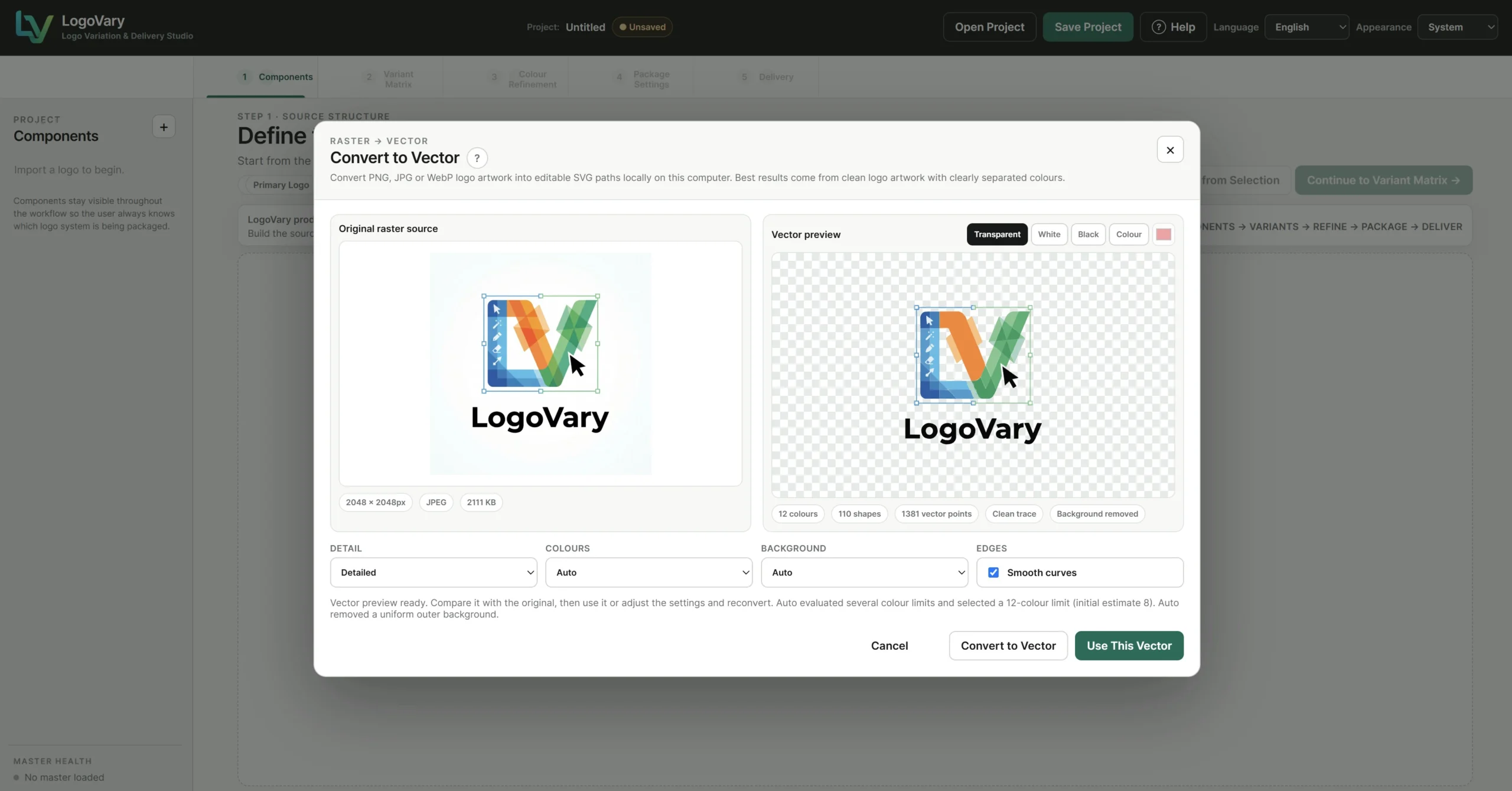
- Local raster-to-vector conversion workflow
- Original raster vs vector preview comparison
- Conversion detail controls
- Colour handling controls
- Background handling controls
- Smooth-curve option
- Transparent / White / Black / Colour preview backgrounds
- Reconvert raster source when required
- Built-in sample logo for workflow exploration
Original Master & Components
- Protected Original Master workflow
- Persistent visual source reference
- Reusable logo components
- Create component from selected artwork
- Component deletion with confirmation
- Component naming workflow
- Start New Logo workflow
- Original reference retained independently from editable variants
Variants & Colourways
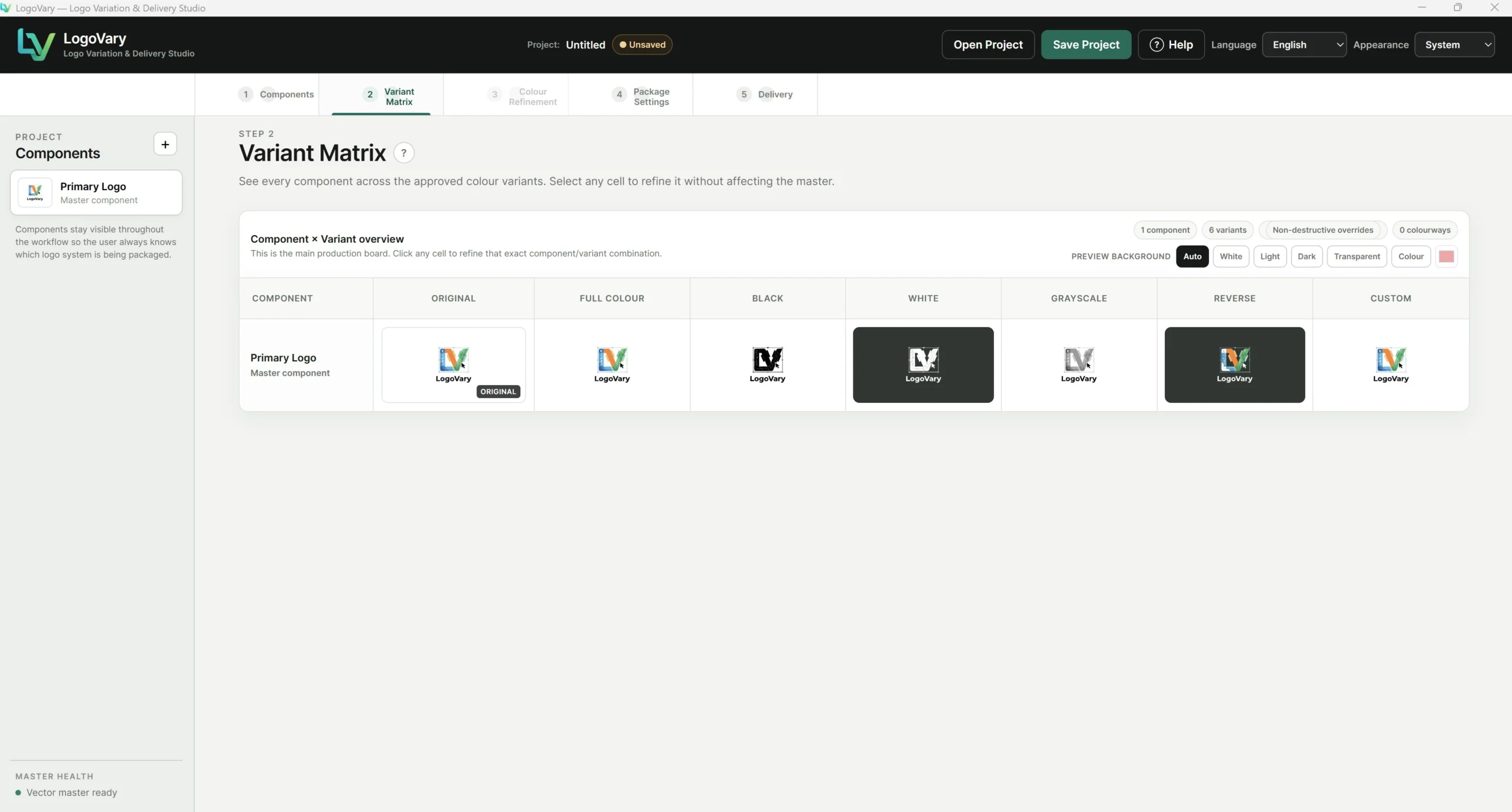
- Variant Matrix production board
- Original variant reference
- Full Colour variant
- Black variant
- White variant
- Grayscale variant
- Reverse variant
- Custom variant
- Multiple Colourway Masters
- Delete Colourway Master with confirmation
- Preview-background controls
- Cell-based refinement workflow
- Non-destructive variant overrides
Colour Concepts & Refinement
- Generate six coordinated Colour Concepts
- Keep selected current colours
- Regenerate concept sets
- Save a concept as a new Colourway Master
- RGB colour editing
- CMYK colour editing
- Spot-colour workflow
- Analogous harmony suggestions
- Complementary harmony suggestions
- Triadic harmony suggestions
- Split Complementary suggestions
- Original Colours reference
- Final Colours reference
- Recent Colours
- Reset colour to variant base
- Reset individual variant
Projects & Application Interface
- Save LogoVary project
- Open existing project
- Project name shown in header
- Saved / Unsaved project-state indicator
- Native Windows file dialogs
- Branded application confirmation dialogs
- Multilingual interface
- Light appearance
- Dark appearance
- System appearance
- Built-in Help
- Five-stage visual workflow navigation
Package & Delivery
- Package Settings stage
- Delivery-stage folder preview
- Variant selection for export
- Format selection for export
- SVG output
- PNG output
- JPG output
- WebP output
- RGB PDF output
- CMYK PDF output
- Spot PDF workflow
- EPS output
- CMYK / Spot EPS workflow where applicable
- Organised folder structure
- Collision-safe naming
- Package validation
- Export manifest
- Package information file
- SHA-256 checksums
- Offline START-HERE HTML reference
Ready to return to LogoVary — or get the Windows application?
If the specifications and feature list answer your questions, return to the LogoVary sales page or purchase LogoVary. If you want to examine individual functions more closely, continue below.
One-time payment · No subscription · 14-Day Money-Back Guarantee
Want to look more closely at how the features work?
The sections below provide a more detailed explanation of LogoVary's source preparation, Variant Matrix, colour workflow, interface tools and professional package delivery.
Start from a trusted Original Master.
LogoVary begins with the approved logo artwork and keeps that source visible as the reference point while the production system grows around it.
Import and prepare the logo system.
Prepare compatible artwork without leaving the workflow.
LogoVary includes a local raster-to-vector preparation step for compatible PNG, JPG and WebP logo artwork.
See the complete logo system in the Variant Matrix.
Instead of treating every exported file as an unrelated asset, LogoVary keeps the Original Master and production variants together in one visual matrix.
Built around the versions logo professionals use.
Explore, save and refine complete colour systems.
LogoVary separates colour exploration from the Original Master so additional colour directions can be developed without replacing the approved source.
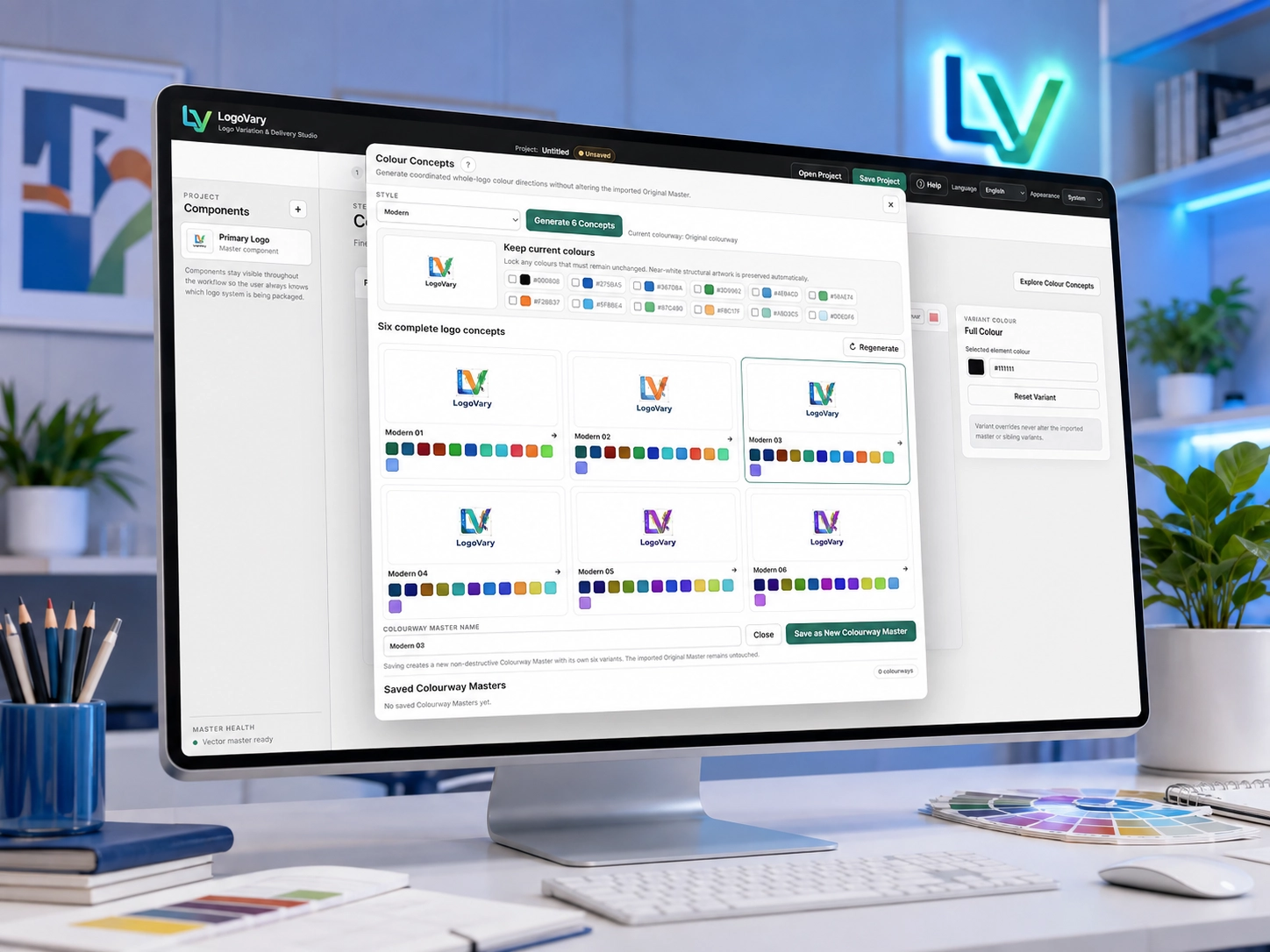
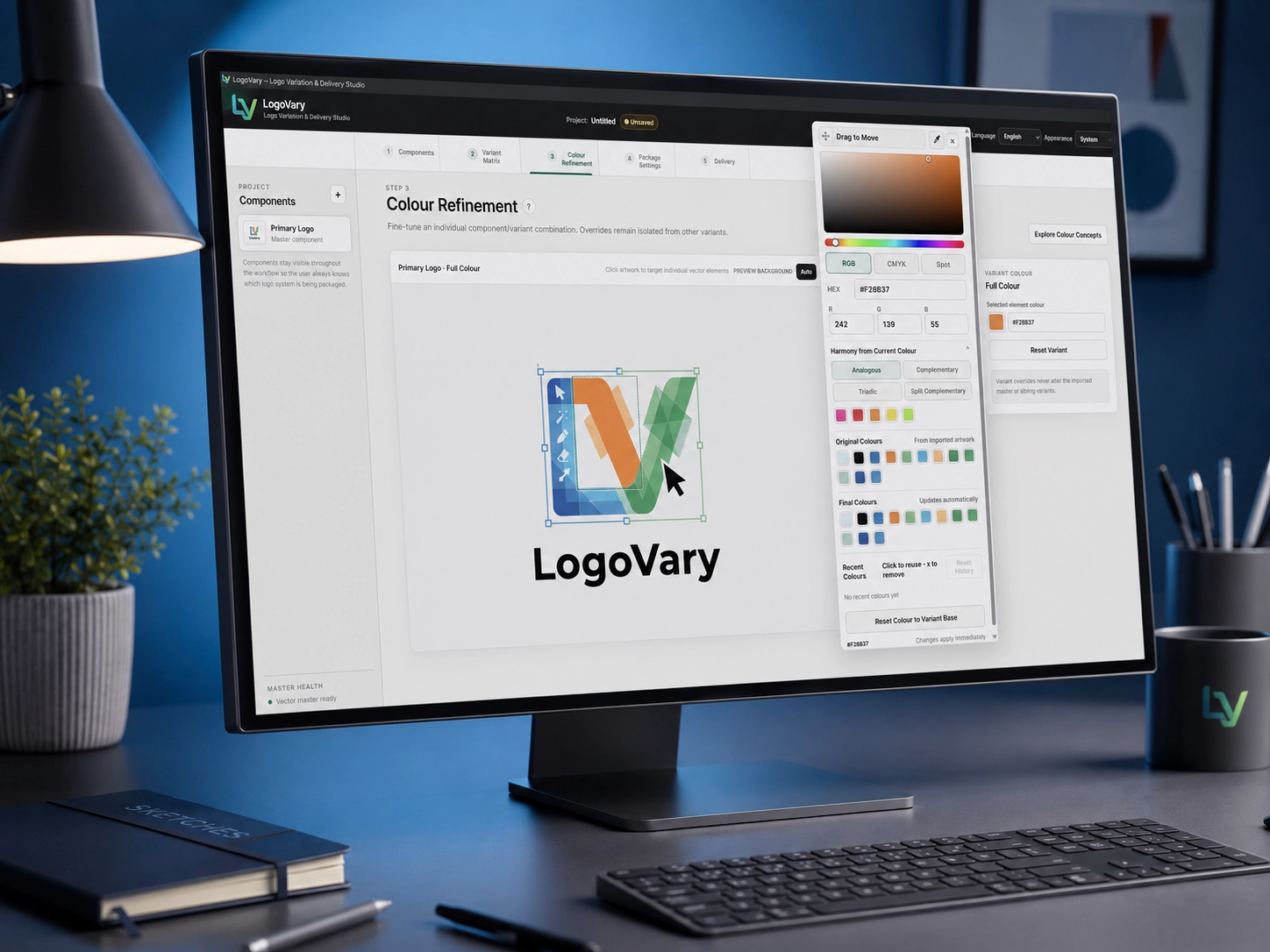
Colour Concepts
Generate coordinated whole-logo colour directions for comparison.
- Six concepts per generated set
- Keep existing colours where required
- Regenerate alternative concepts
- Save a successful concept as a Colourway Master
Multiple Colourway Masters
Store additional approved colour systems inside the same LogoVary project.
- Separate named Colourway Masters
- Each colourway maintains its own variants
- Delete colourways independently
- Compare colour systems in the Variant Matrix
Colour Refinement
Make targeted changes to individual variant/component combinations.
- RGB colour controls
- CMYK colour controls
- Spot-colour workflow
- Original Colours and Final Colours reference
- Colour harmony suggestions
- Reset individual variants
Designed as a complete desktop application.
LogoVary includes project management, appearance options, multilingual support and built-in guidance alongside the production workflow.
Save & Open Projects
Save LogoVary projects to disk, reopen them later and continue working with the same source, components, variants, colourways and settings.
Project status
The application header shows the active project and indicates whether the current project contains unsaved changes.
Multilingual interface
Use LogoVary in a supported interface language without altering the artwork or project content.
Light, Dark & System
Choose the preferred appearance or allow LogoVary to follow the Windows system setting.
Built-in Help
Access guidance directly from the application whenever clarification about the workflow or a feature is needed.
Desktop confirmations
Important actions use application-level confirmations to reduce unintended project changes.
Prepare the files people actually need.
LogoVary takes the workflow beyond variation creation and into structured professional delivery.
Review the package before exporting.
The Delivery stage provides a package preview so you can see the organised folder structure and selected output before generating the final brand package.
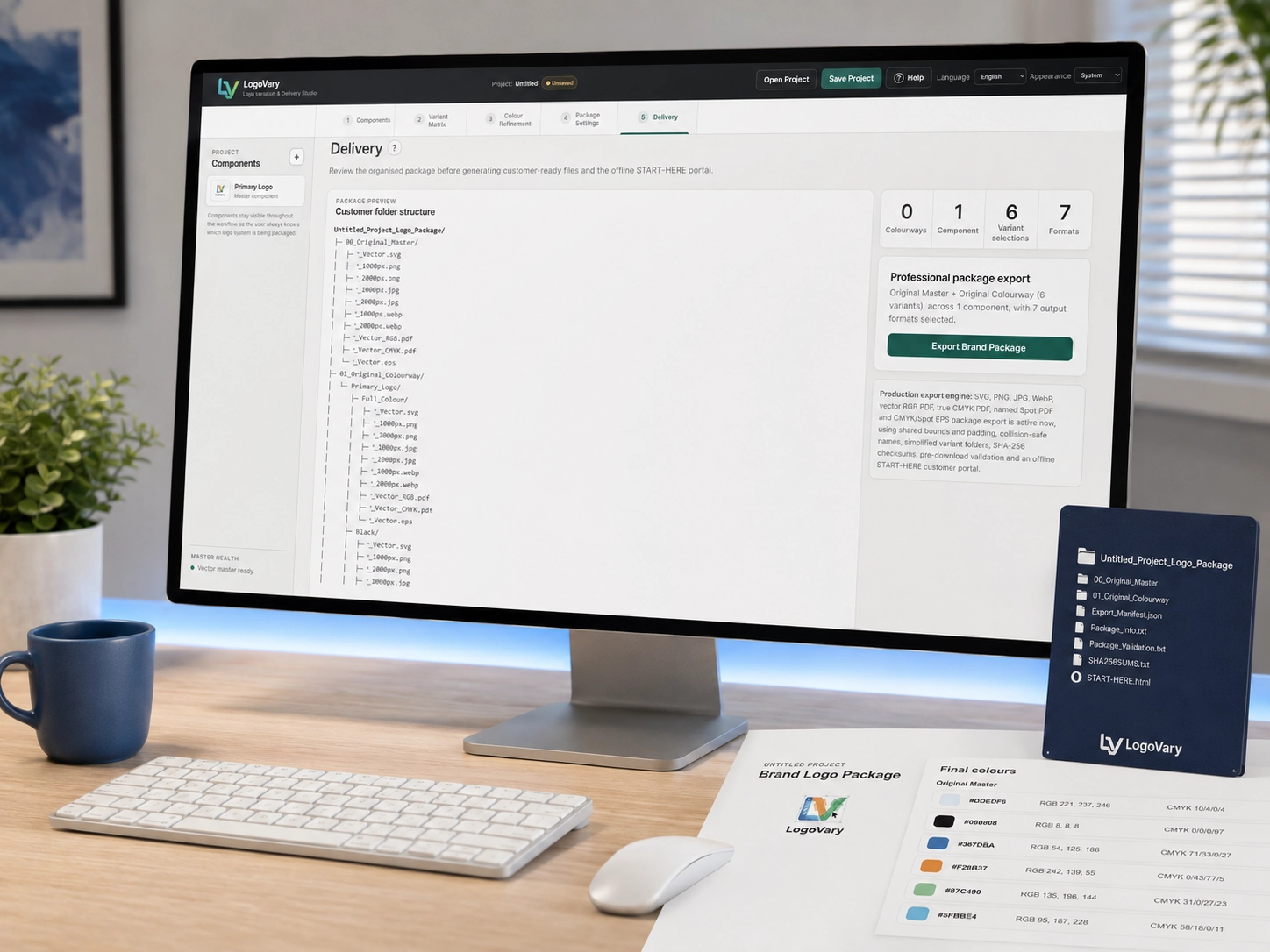
More than exported artwork.
LogoVary can create a structured delivery package containing the selected logo assets together with supporting information designed to make validation and client handoff easier.
00_Original_Master/
Original approved master assets.
01_Original_Colourway/
Original colourway and selected production variants.
Export_Manifest.json
Machine-readable export manifest for the generated package.
Package_Info.txt
Supporting information about the exported package.
Package_Validation.txt
Package validation information.
SHA256SUMS.txt
SHA-256 checksums for verifying exported package files.
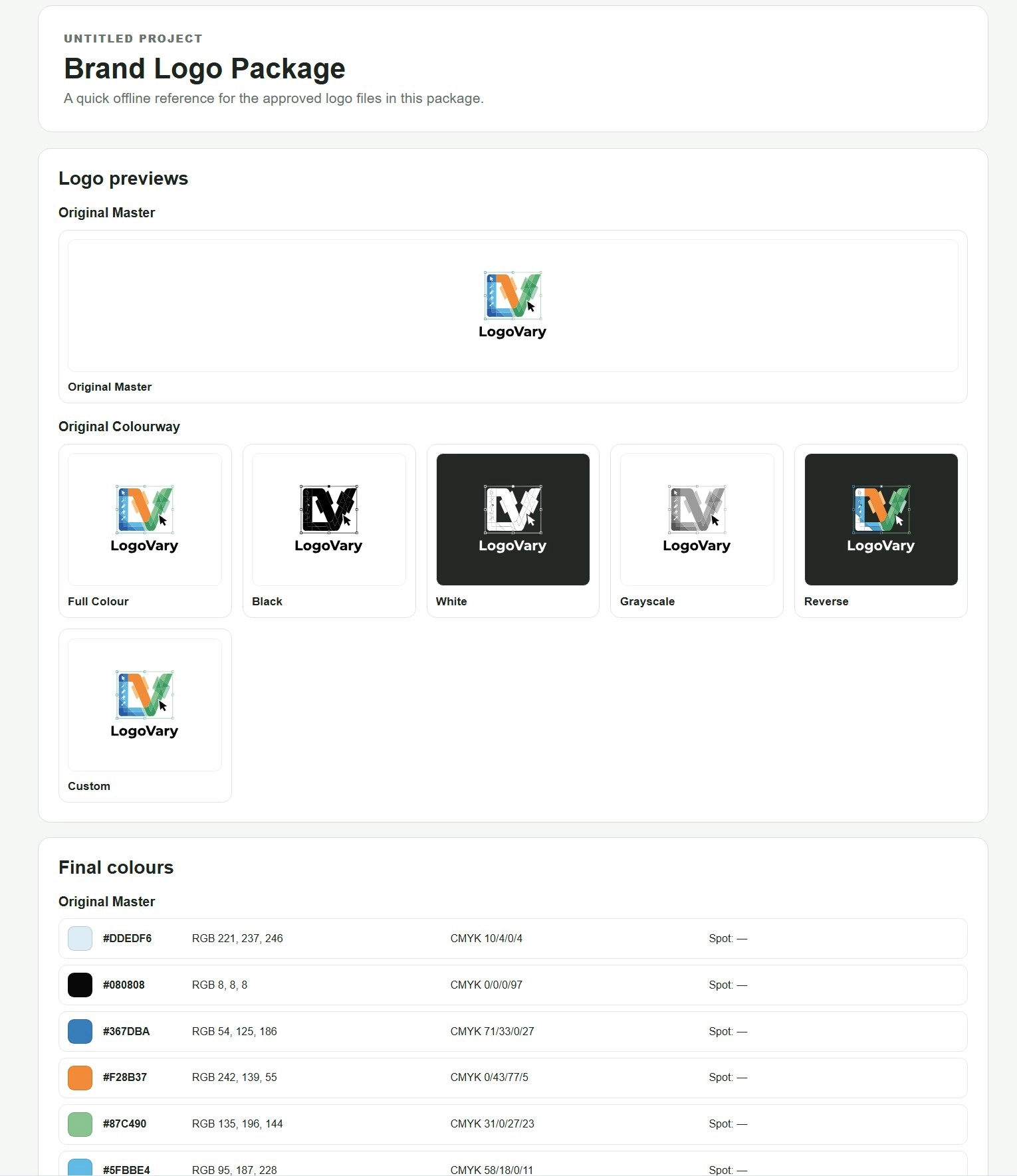
START-HERE.html
Offline visual reference for recipients of the logo package.
You've seen the LogoVary features and technical details.
Return to the LogoVary sales page for the full visual product presentation, or get LogoVary for Windows when you're ready.