From approved logo to professional delivery.
Create, organise and deliver the logo variations your clients actually need — without rebuilding the same assets again and again.
Preserve the Original Master. Build colourways and variants. Prepare professional files. Deliver a complete brand package.
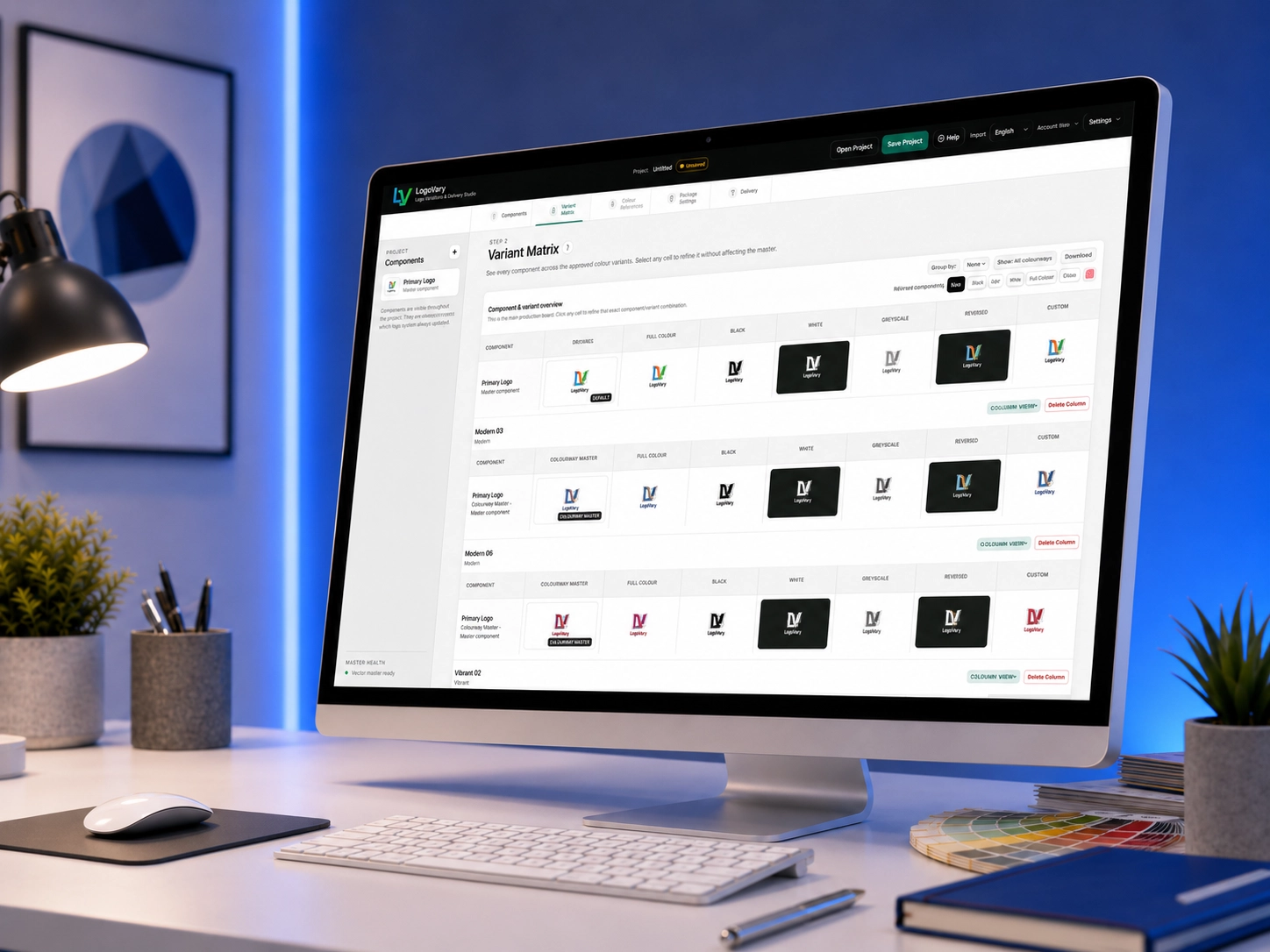
The repetitive work begins after approval.
Once the creative decision is finished, logo production can quickly turn into repeated variations, scattered files and a complicated handoff.
Repetitive variation work
Black, white, reverse, grayscale and alternate colour versions can mean repeating the same production work again and again.
Scattered logo files
As variants and colourways multiply, separate files become harder to find, compare, update and keep consistent.
Inconsistent delivery
A loose collection of exports can leave clients wondering which version to use and does not reflect the quality of the design itself.
See the LogoVary workflow.
One connected process keeps the artwork organised from the first approved master right through to the final delivery package.
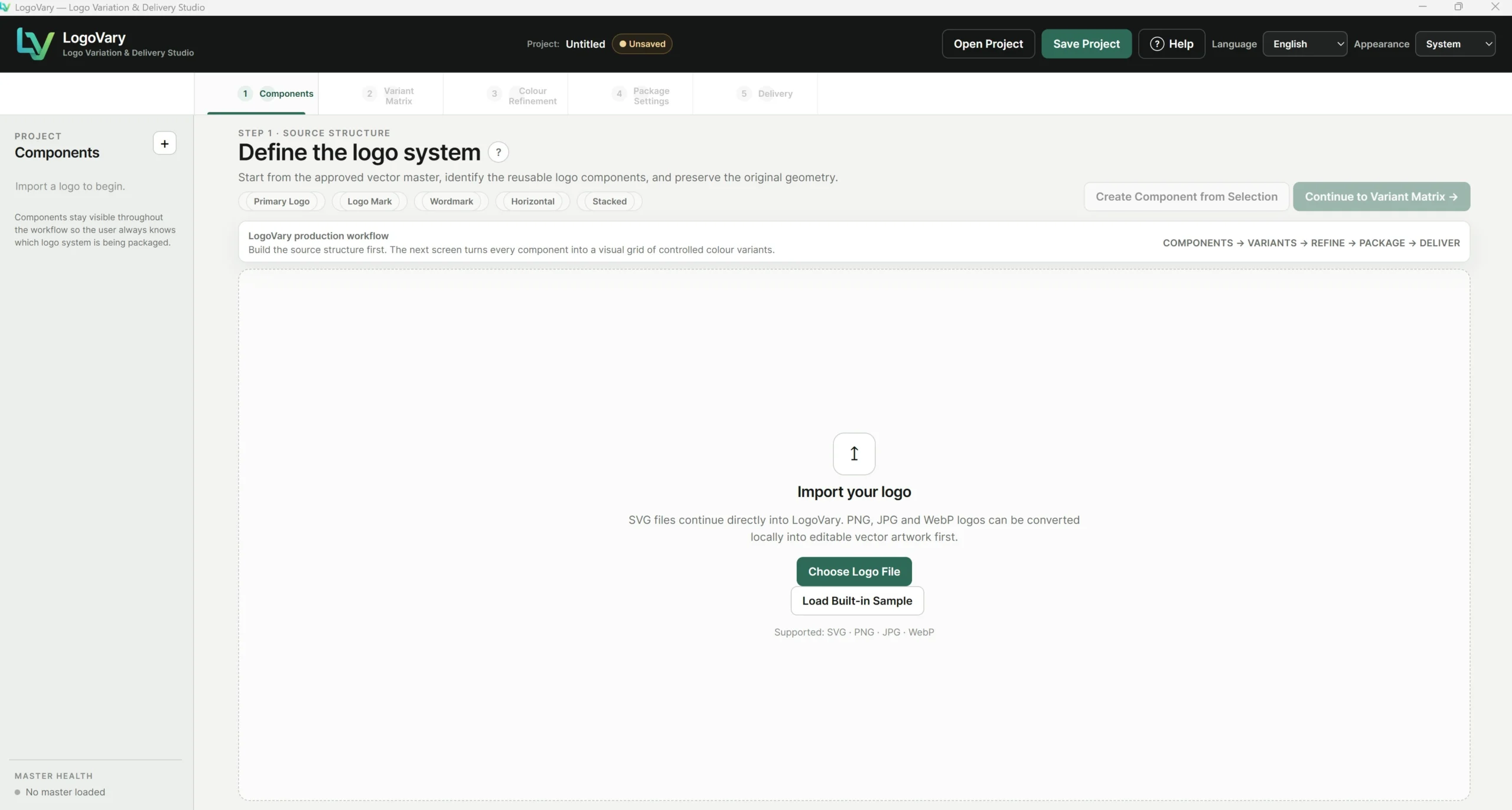
Start from the approved logo.
Keep the imported artwork as the trusted reference while the rest of the logo system is created around it.
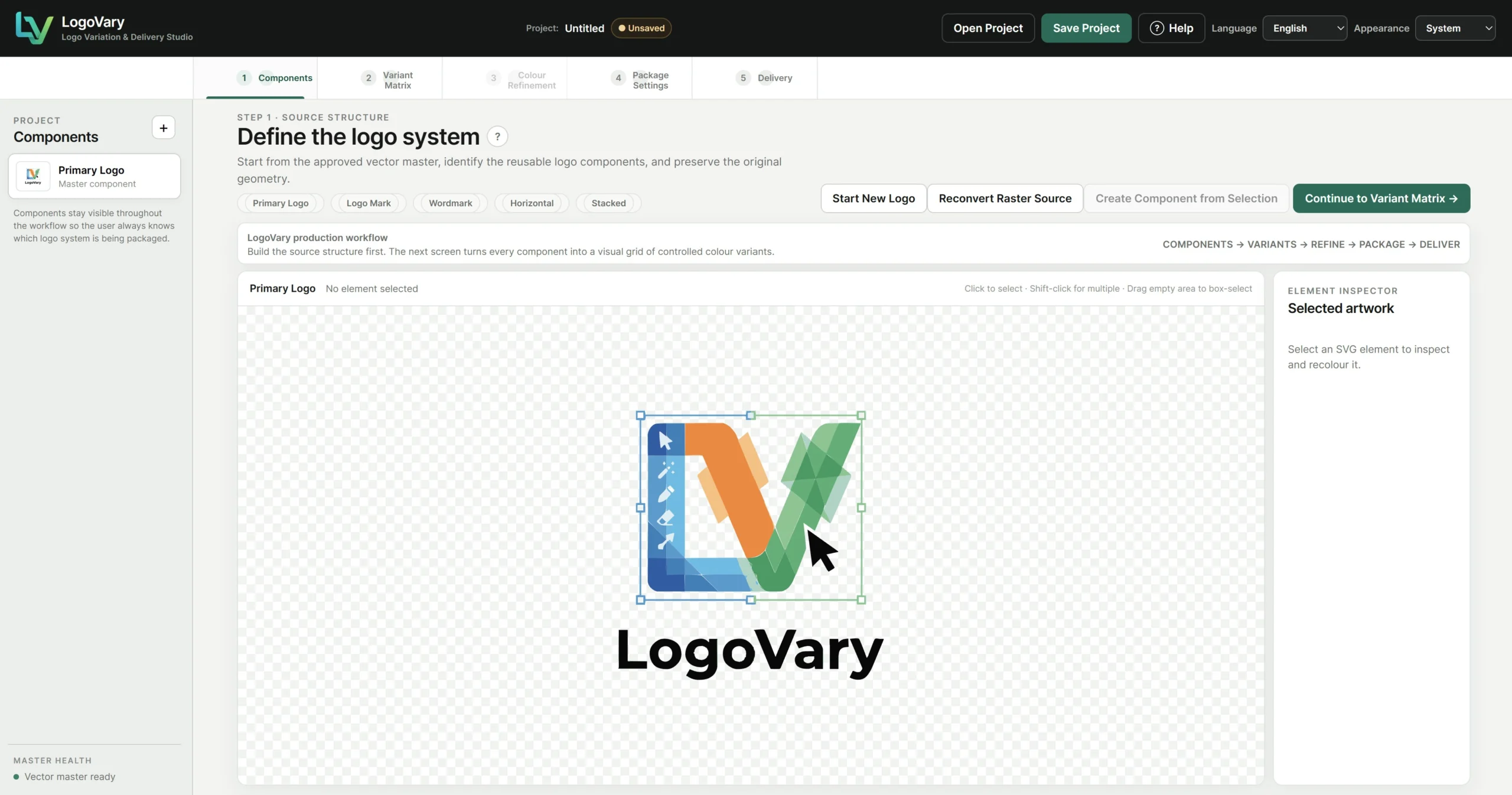
Organise the logo before creating more files.
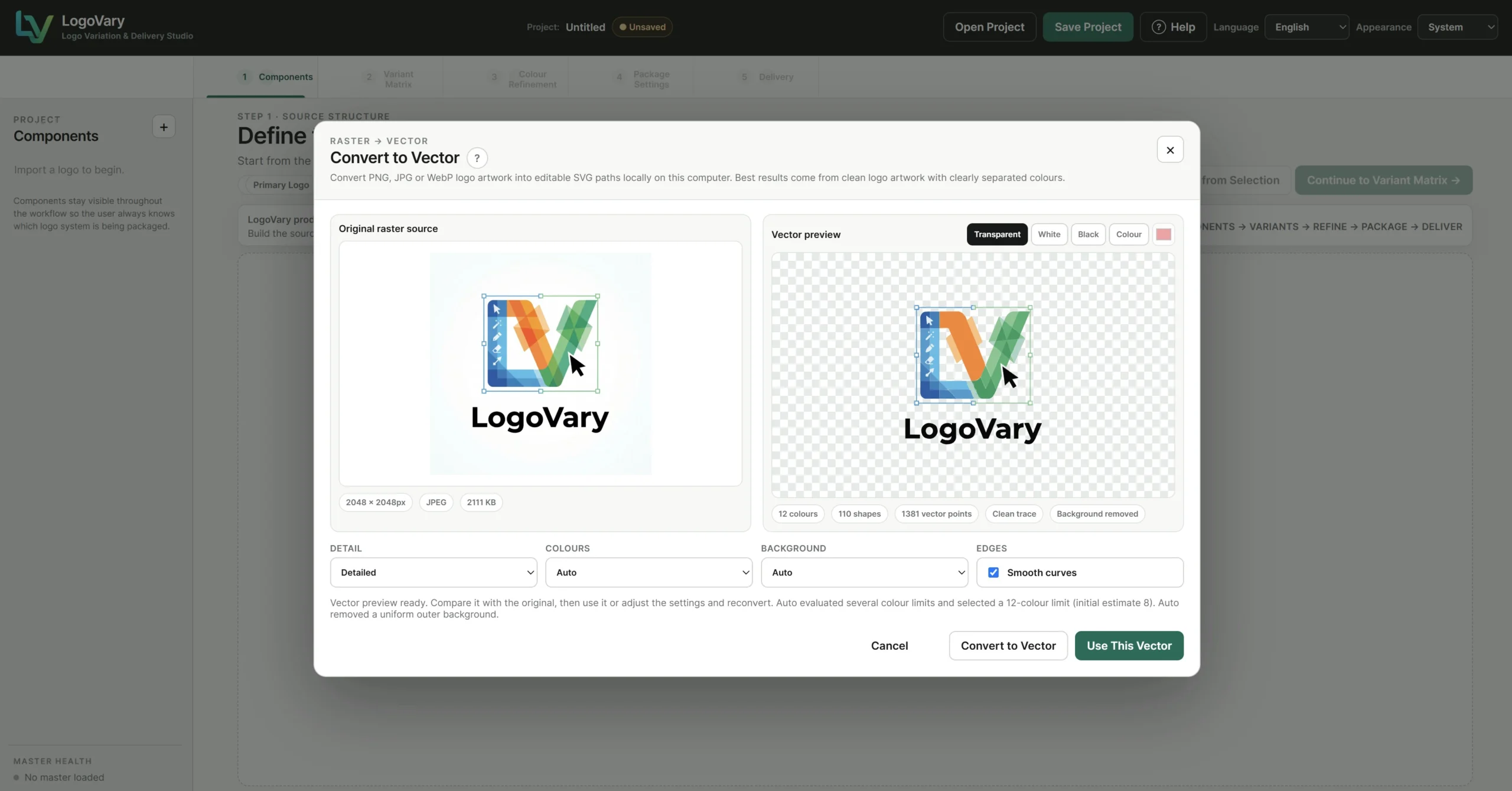
Define reusable components and prepare compatible artwork for the variation workflow, including raster-to-vector conversion when required.
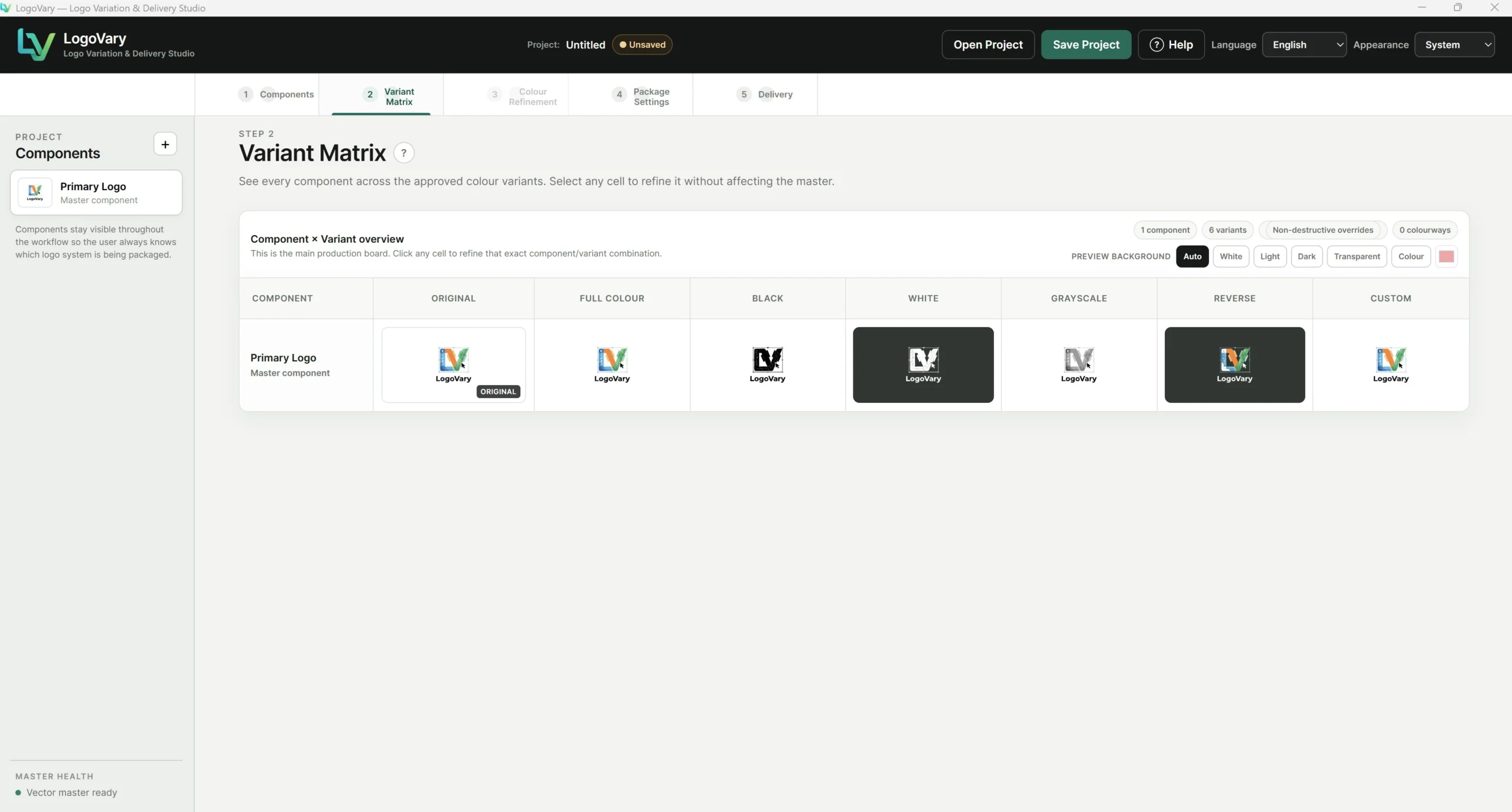
Turn one master into the versions clients actually need.
Full Colour, Black, White, Grayscale, Reverse and Custom versions remain connected and visible together.
Finish with an organised professional package.
Review the package structure, validate what will be delivered and export the customer-ready assets.
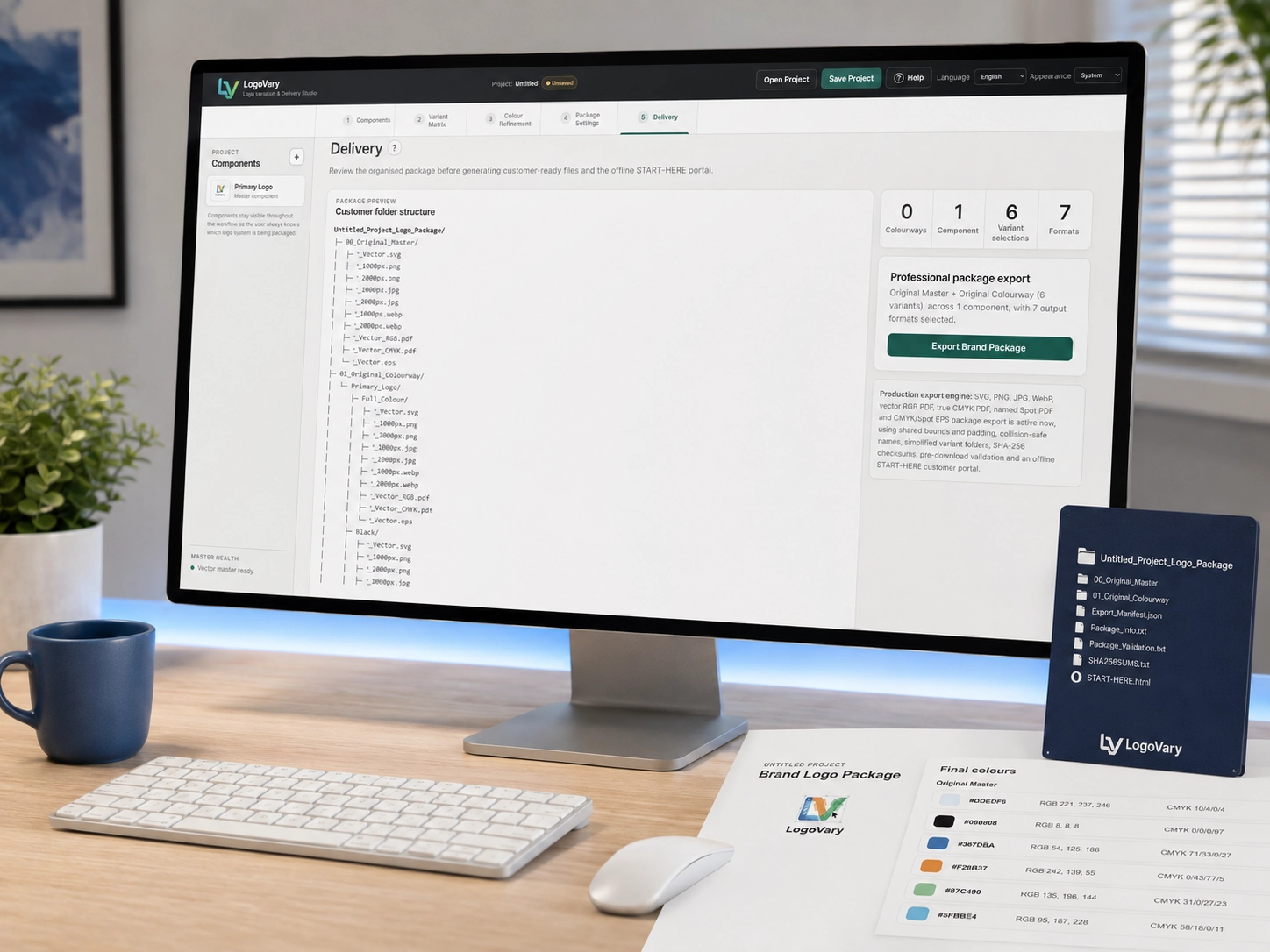
Every logo version, visible at a glance.
Keep the Original Master and related logo variants together in one visual production board instead of searching through separate files.
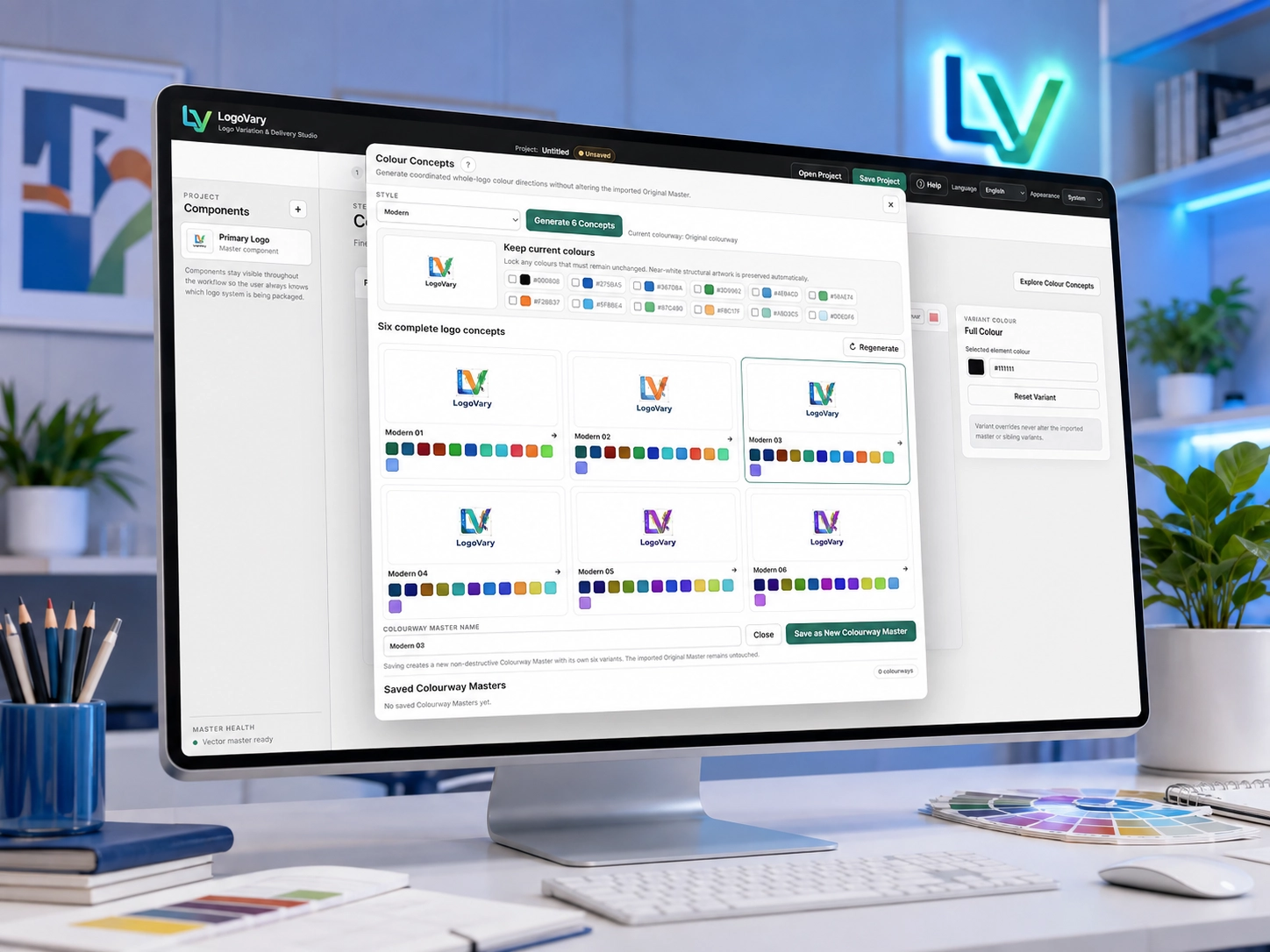
Explore coordinated colour directions visually.
Test new whole-logo colourways without altering the Original Master.
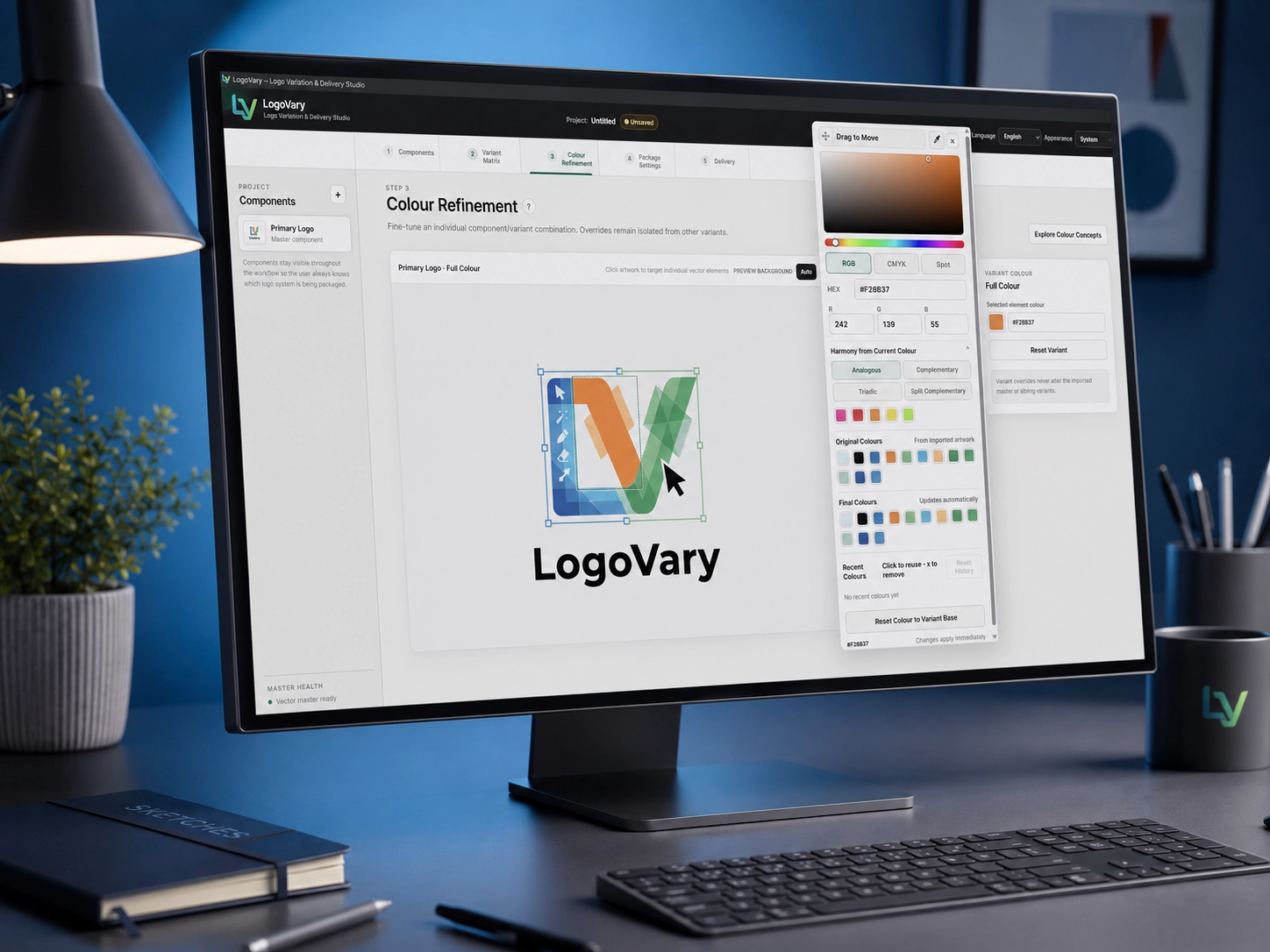
Refine individual variants without disturbing everything else.
Make targeted colour adjustments only where they are needed.
One logo. More than one approved colour system.
Keep alternate colour directions inside the same LogoVary project instead of managing separate artwork files.
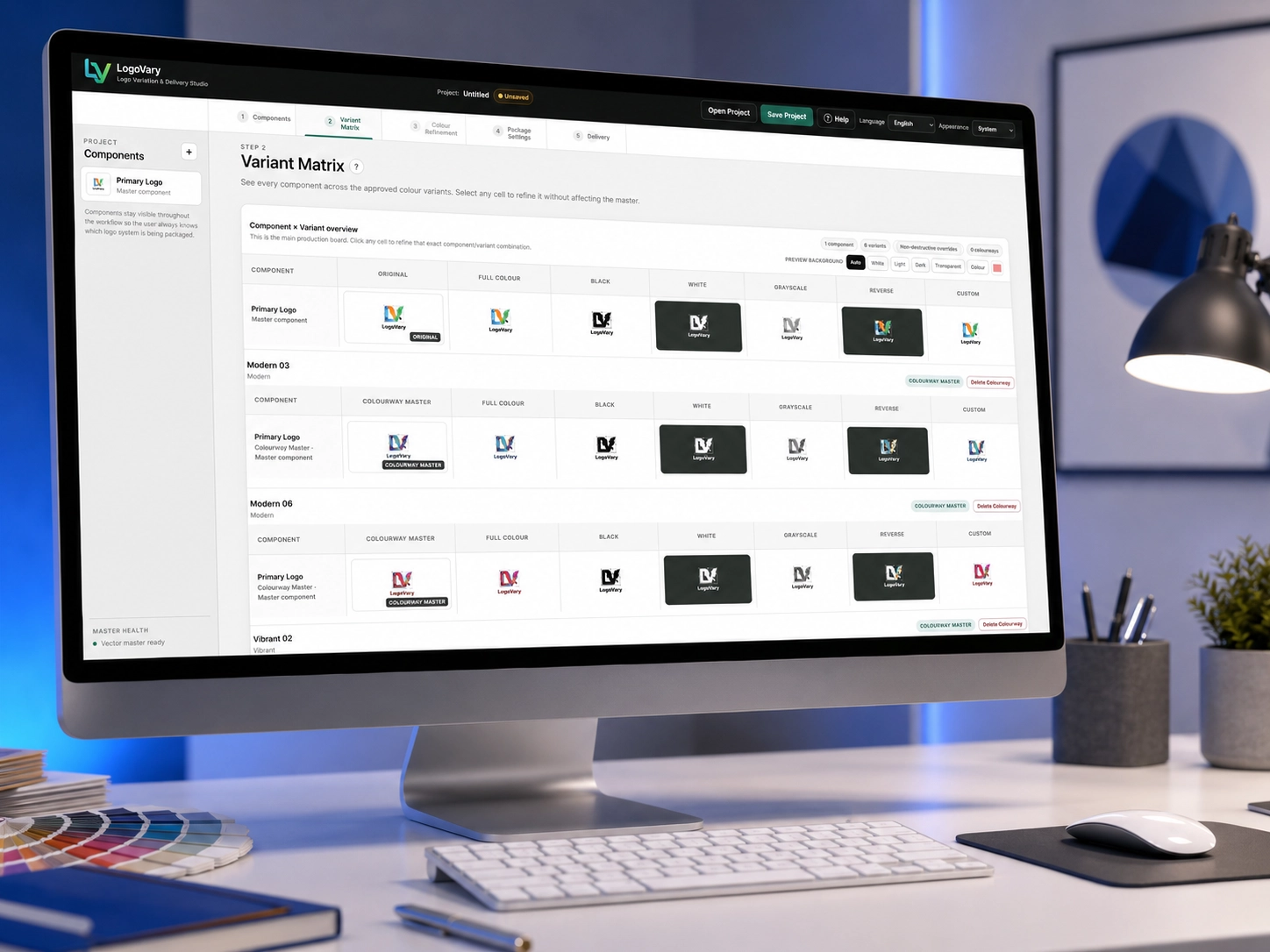
Delivery is part of the workflow — not an afterthought.
Prepare the selected logo system for professional package export.
Don't just export files. Deliver a brand package.
LogoVary turns the production work into a package that is easier for clients and teams to understand, use and keep organised.
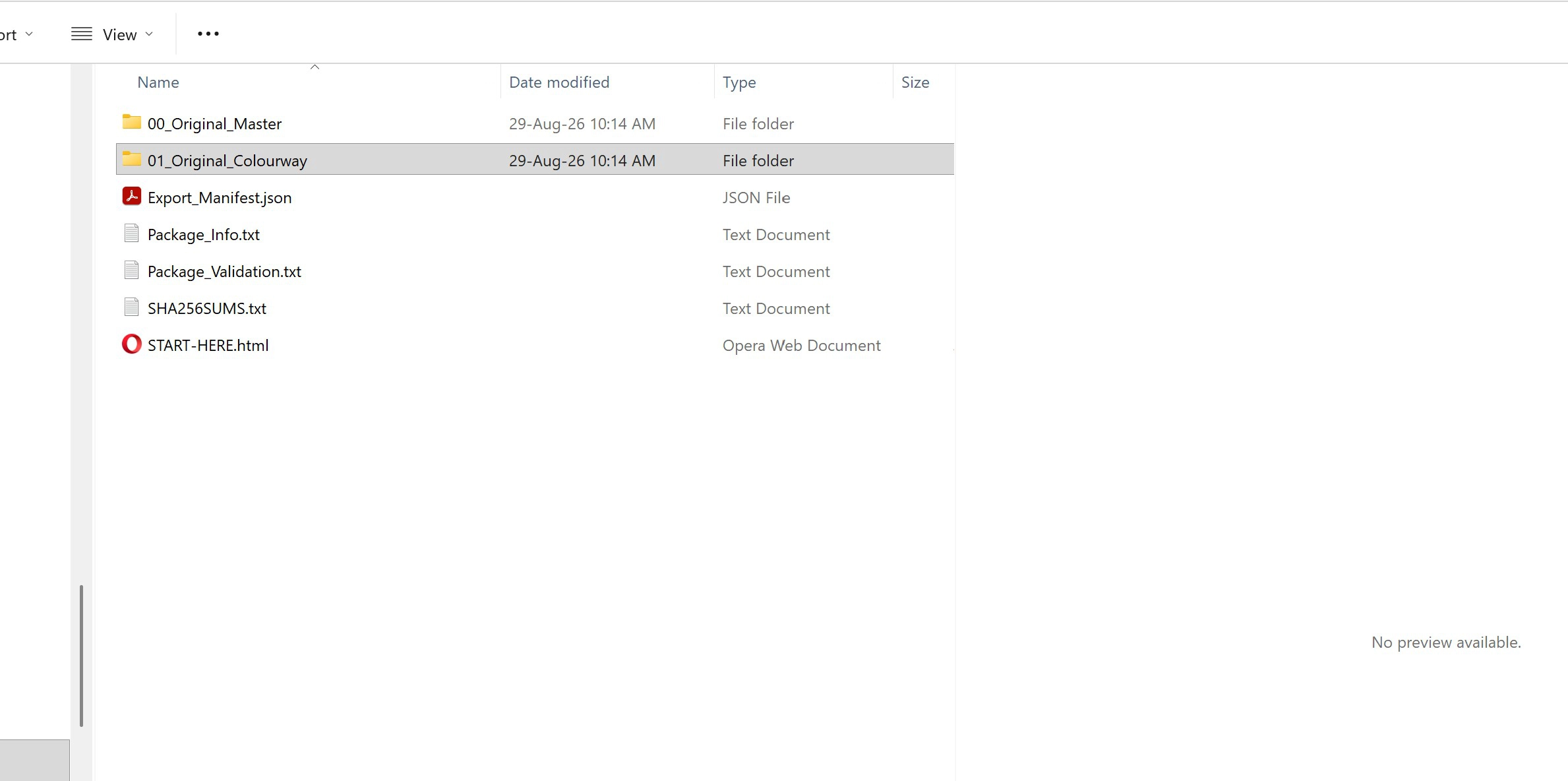
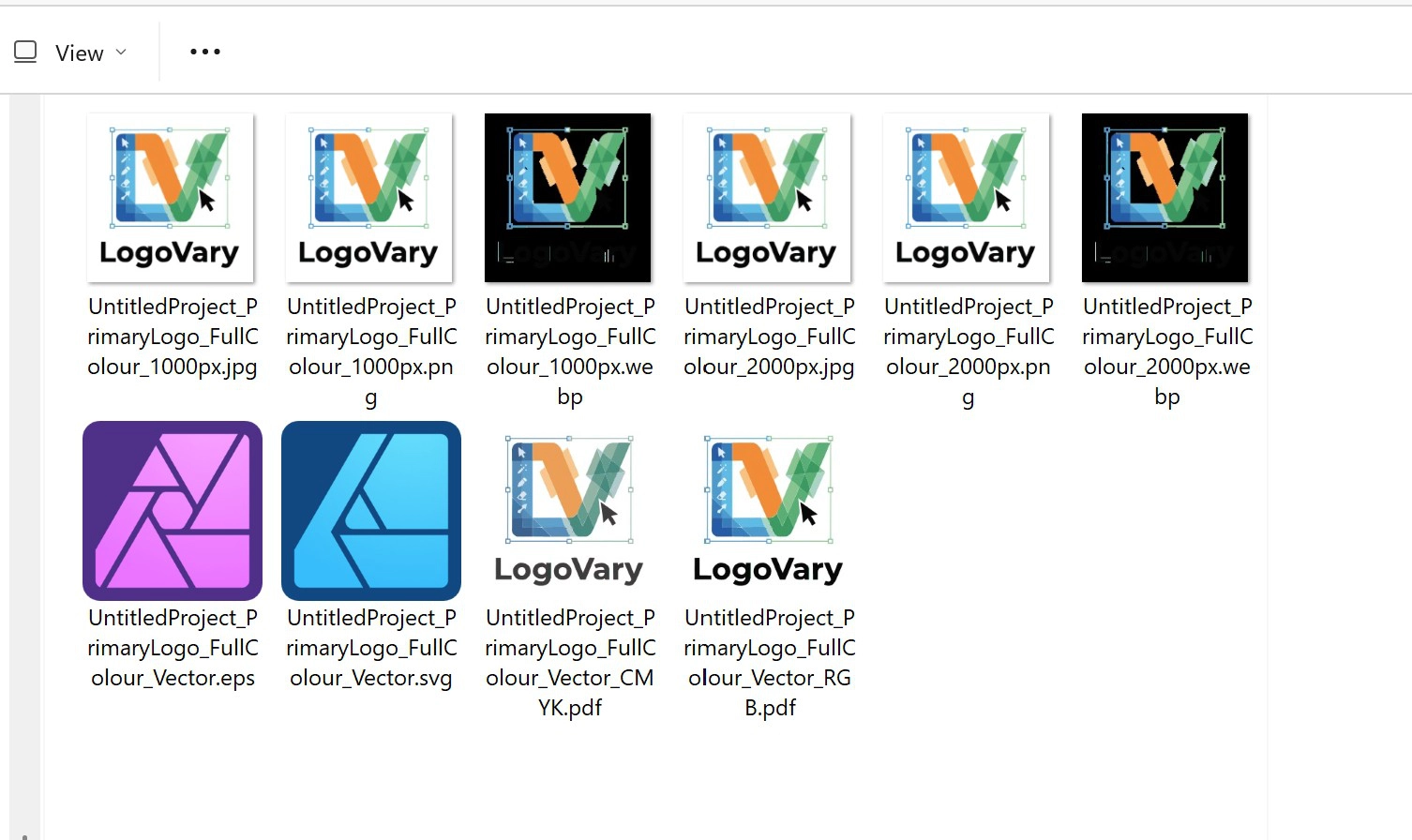
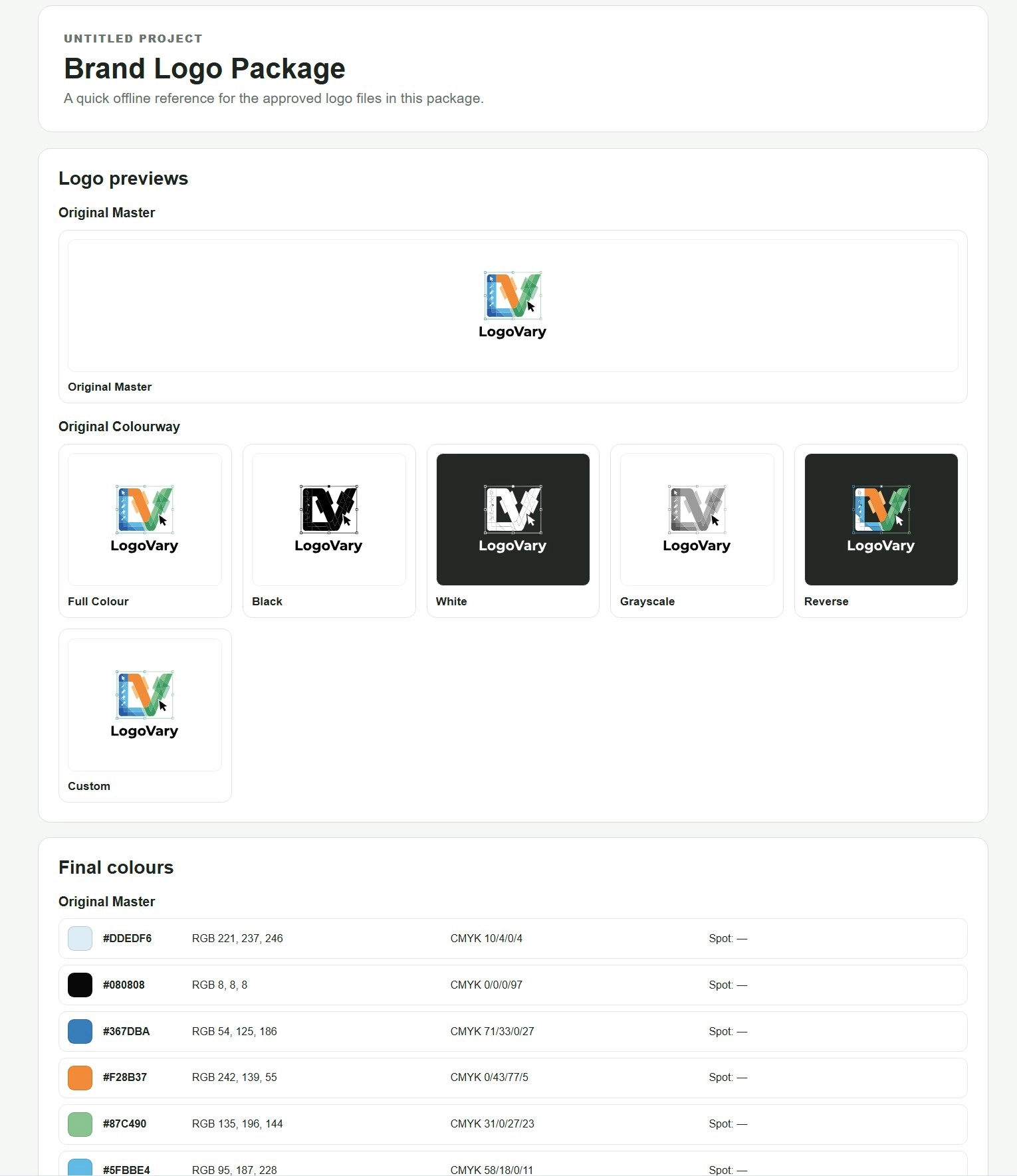
Give your client more than a folder of logo files.
LogoVary can include an offline START-HERE HTML reference inside the exported package. It gives the recipient a clear visual overview of the approved logo files they have received, including the Original Master, available logo variants and final colour information.
Because the reference works offline, the client does not need LogoVary installed and does not need to visit a website. They can simply open the START-HERE file included with the package whenever they need to understand the logo system.
Instead of opening a folder and wondering which logo version to use, the recipient has a simple visual reference that helps explain the package and makes the complete handoff feel more organised and professional.
Less production work. Better delivery.
Save production time
Reduce repetitive logo preparation after the creative work is finished.
Stay organised
Keep variants, components and colourways connected inside one project.
Deliver professionally
Give clients an organised logo system rather than an unexplained collection of files.
Professional touches that make LogoVary easier to work with every day.
Beyond the core variation and delivery workflow, LogoVary includes practical interface and usability features designed to make everyday desktop work more comfortable.
Multilingual interface
Use LogoVary in a supported interface language while your project artwork and logo content remain exactly as created.
Light, Dark & System appearance
Choose the interface appearance that suits your workspace, or allow LogoVary to follow your Windows system setting automatically.
Built-in Help
Access guidance directly from LogoVary whenever you need clarification about the workflow, controls or an application feature.
Technical Details →
Built for people who work with logos professionally.
It doesn't try to replace your design software.
Your design application is where the logo is created.
LogoVary focuses on what happens next: creating, organising and delivering the complete logo system.
LogoVary turns finished logo designs into professional brand packages.
One focused workflow for organising the approved master, creating practical logo variants, exploring colourways, refining individual versions and preparing a professional client-ready delivery package.
Questions before you decide?
Here are answers to some of the most common questions about LogoVary, how it fits into a design workflow and what happens to your original artwork.
What operating system does LogoVary support?
Does LogoVary replace Illustrator or other design software?
Does LogoVary change my Original Master?
Can I create more than one colourway?
Can I save my work and return to it later?
Where can I see the complete technical feature list?
View Full Features & Technical Details →
Where can I get support?
Give every approved logo a professional finish with LogoVary.
Turn approved artwork into an organised, reusable and professionally presented logo system.
Get LogoVary for Windows →JVZoo Disclaimer
Please note that this product does not provide any guarantee of income or success. The results achieved by the product owner or any other individuals mentioned are not indicative of future success or earnings. This website is not affiliated with FaceBook or any of its associated entities. Once you navigate away from FaceBook, the responsibility for the content and its usage lies solely with the user. All content on this website, including but not limited to text, images, and multimedia, is protected by copyright law and the Digital Millennium Copyright Act. Unauthorized copying, duplication, modification, or theft, whether intentional or unintentional, is strictly prohibited. Violators will be prosecuted to the fullest extent of the law. We want to clarify that JVZoo serves as the retailer for the products featured on this site. JVZoo® is a registered trademark of BBC Systems Inc., a Florida corporation located at 1809 E. Broadway Street, Suite 125, Oviedo, FL 32765, USA, and is used with permission. The role of JVZoo as a retailer does not constitute an endorsement, approval, or review of these products or any claims, statements, or opinions used in their promotion.